
From November 1, 2026, Japan uses a refund-based tax-free shopping system. Eligible shoppers first pay the tax-inclusive price in the store, then receive a consumption-tax refund after completing customs confirmation when leaving Japan.
Some shops use J-TaxRefund to process refunds. It has a Traditional Chinese interface and can be used in a mobile browser without downloading a dedicated app. The screenshots below show that interface; follow the current platform for your transaction.
What is J-TaxRefund?
J-TaxRefund is a tax refund service provided by J&J Tax Free.
J-TaxRefund is one provider, not the platform used by every tax-free shop in Japan. Check the store’s notice or ask its staff which refund service applies to your purchase.
Official website: https://j-taxrefund.com/welcome
Registration: A Walkthrough of the Traditional Chinese Interface
Step 1: Open the Website
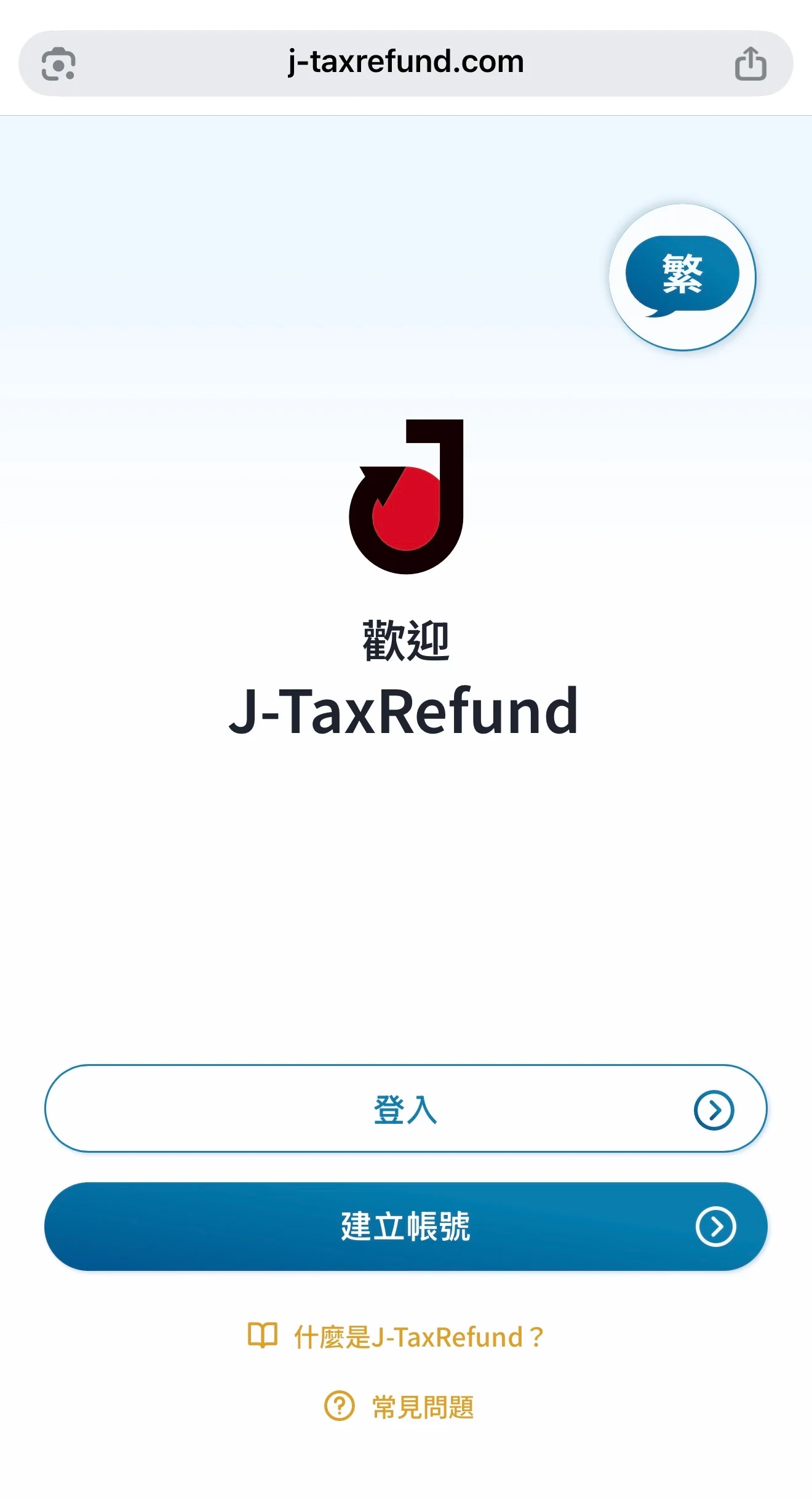
Scan the QR Code posted in the store, or directly open the J-TaxRefund website.
Click "Traditional" in the upper right corner to switch to Traditional Chinese.
The home page has two main options:
- Login: For travelers who already have an account.
- Create an account: Select the first time you use it.
Step 2: Create an Account & Verify Your Email
Enter your email address according to the screen to complete account creation and verification.
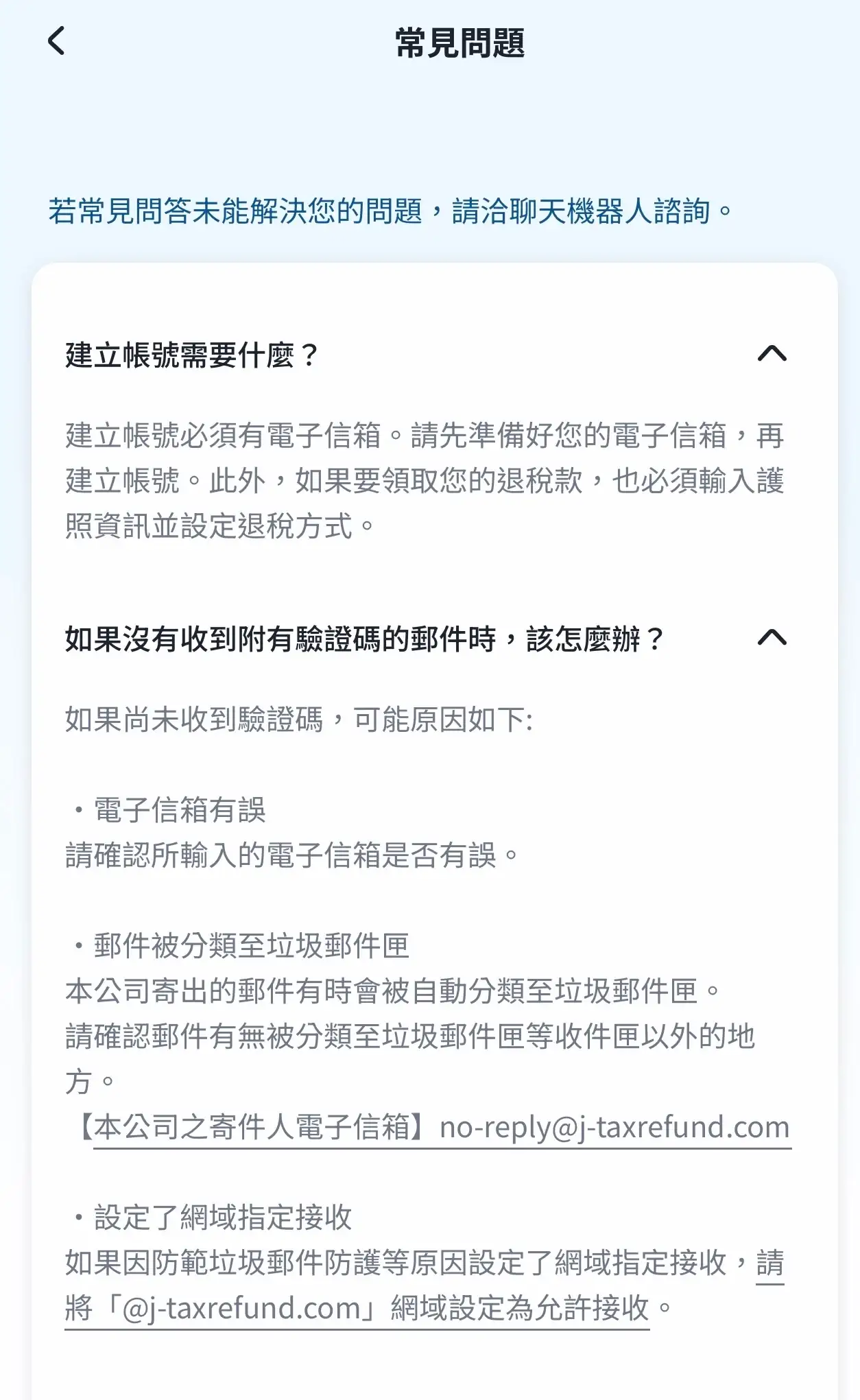
If you do not receive the verification letter, you can take photos order:
- Is the email address entered correctly?
- Whether the email went into the spam box.
- Whether the system mailing address is blocked by the mailbox.
The verification letter mailing address listed in the J-TaxRefund FAQ is:
no-reply@j-taxrefund.com
Step 3: Verify Your Passport Details
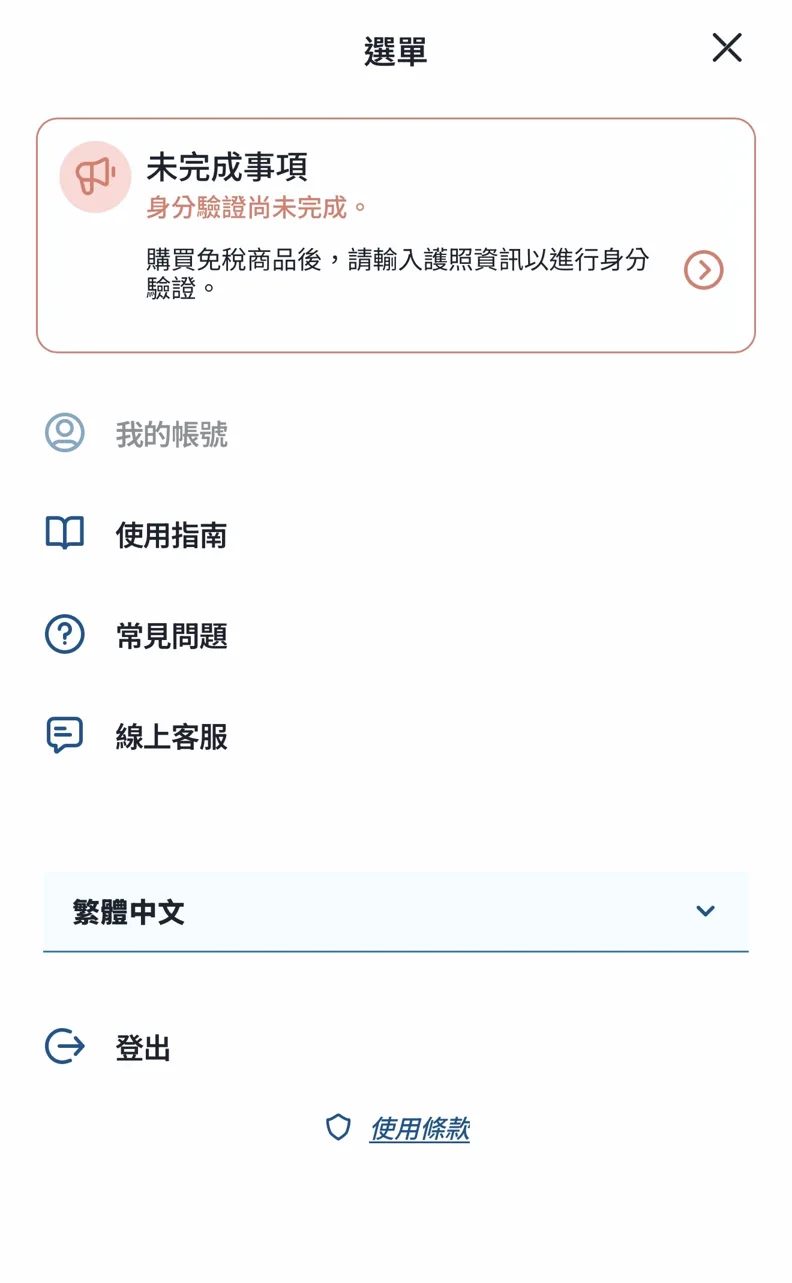
After logging in, open the menu. If "Identity verification has not been completed" appears above, please follow the prompts to register your passport information. The screen description is to enter your passport information and complete identity verification after purchasing tax-free goods.
Please use the same passport used for tax-free shopping and confirm that the entered content is correct.
Step 4: Choose a Refund Method
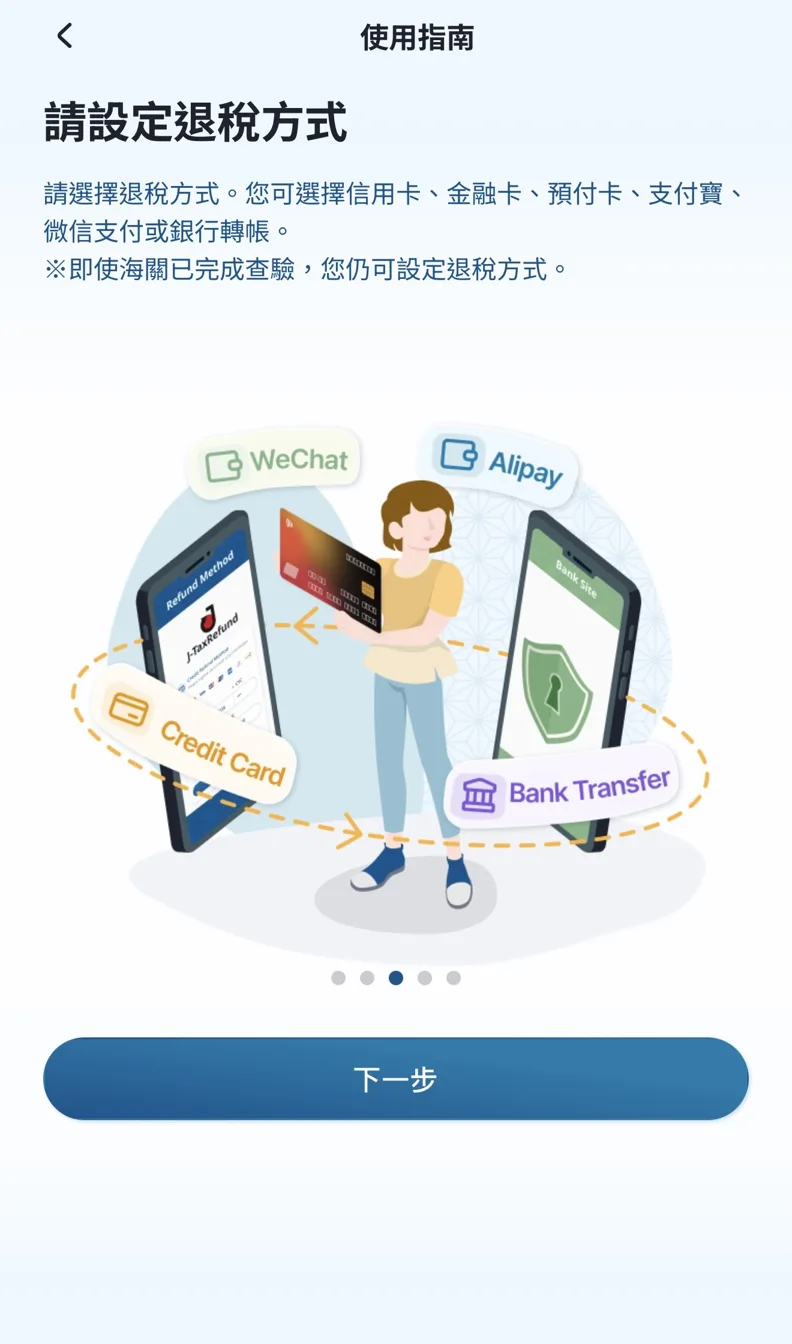
J-TaxRefund Traditional Chinese User Guide lists refund channels such as credit card, debit card, prepaid card, Alipay, WeChat Pay and bank transfer. Please select according to your transaction screen and fill in the required payment information.
The guide also explains that tax refund methods can still be set after customs inspection is completed. It is recommended to register in advance and confirm the information, and keep shopping records to facilitate tracking of refunds.
View traditional Chinese instructions for refund methods
How much is the J-TaxRefund fee?
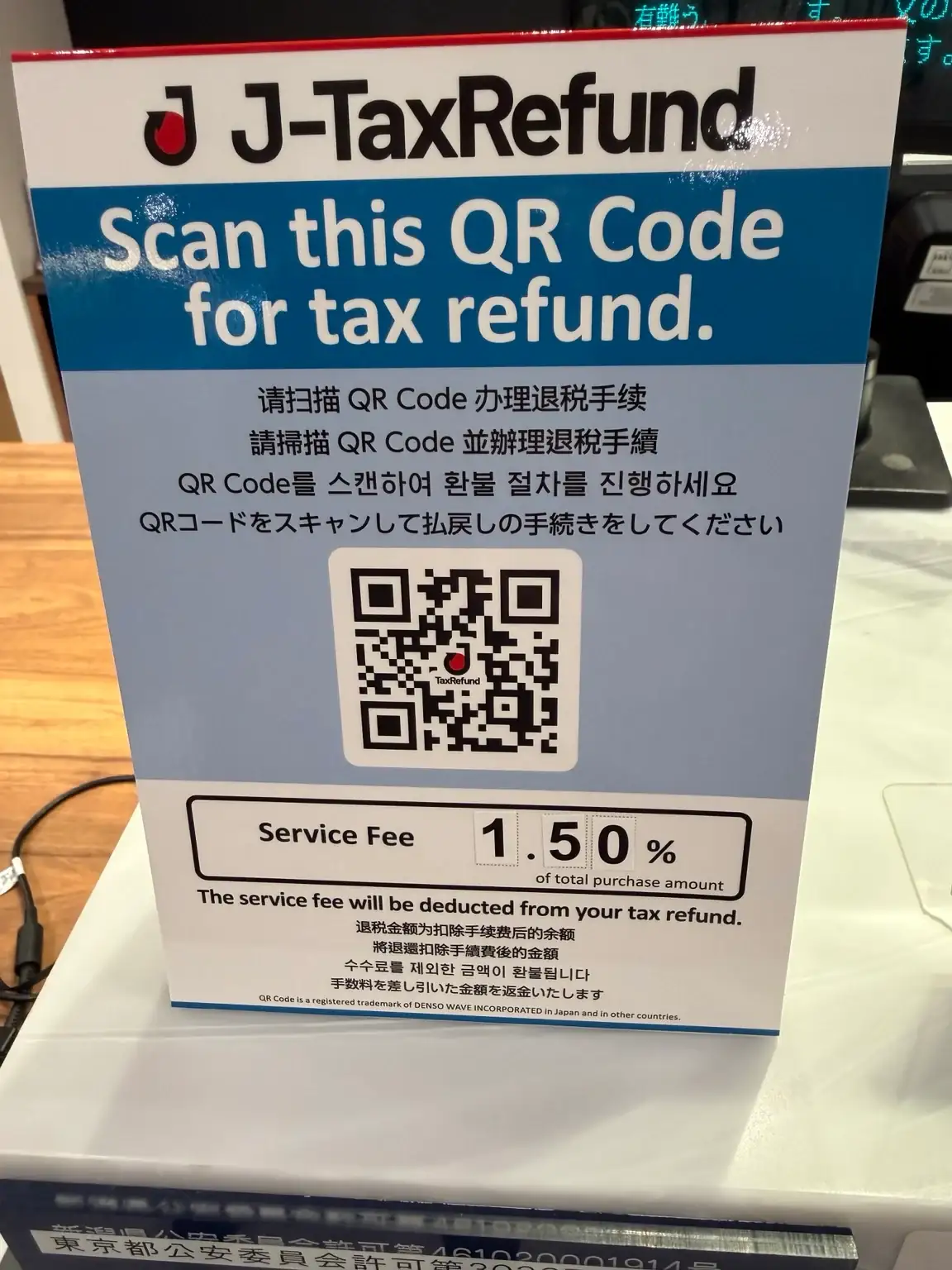
The store documents illustrated in this guide show a service fee of 1.50% of the tax-inclusive purchase total, deducted from the consumption-tax refund. The calculation below uses that store’s rate and a 10% consumption-tax rate as an example.
| Project | Amount |
|---|---|
| Product price before tax | 100,000 yen |
| Payment amount including tax | 110,000 yen |
| Consumption tax equivalent amount | 10,000 yen |
| Service fee: 110,000 × 1.50% | 1,650 yen |
| Refund after deducting the above service fees | 8,350 yen |
This example does not include the optional collection service fee. The rates and calculation methods of other stores are subject to announcements at the time of purchase.
Is Registration Enough to Receive a Refund?
You also need to complete customs inspection when leaving the country.
From the date of purchase within 90 days, passengers must carry tax-free goods out of the country and confirm them according to the airport instructions.
If customs requires physical inspection, you must be able to show the purchased goods. tax-free items that are to be put into checked baggage must be confirmed by customs before being handed over to the airline.
In addition, even if products such as food, beverages and cosmetics no longer require special duty-free sealing bags, they cannot be used or consumed in Japan before applying for a refund.
Customs Confirmation & Cash Collection Are Separate Steps
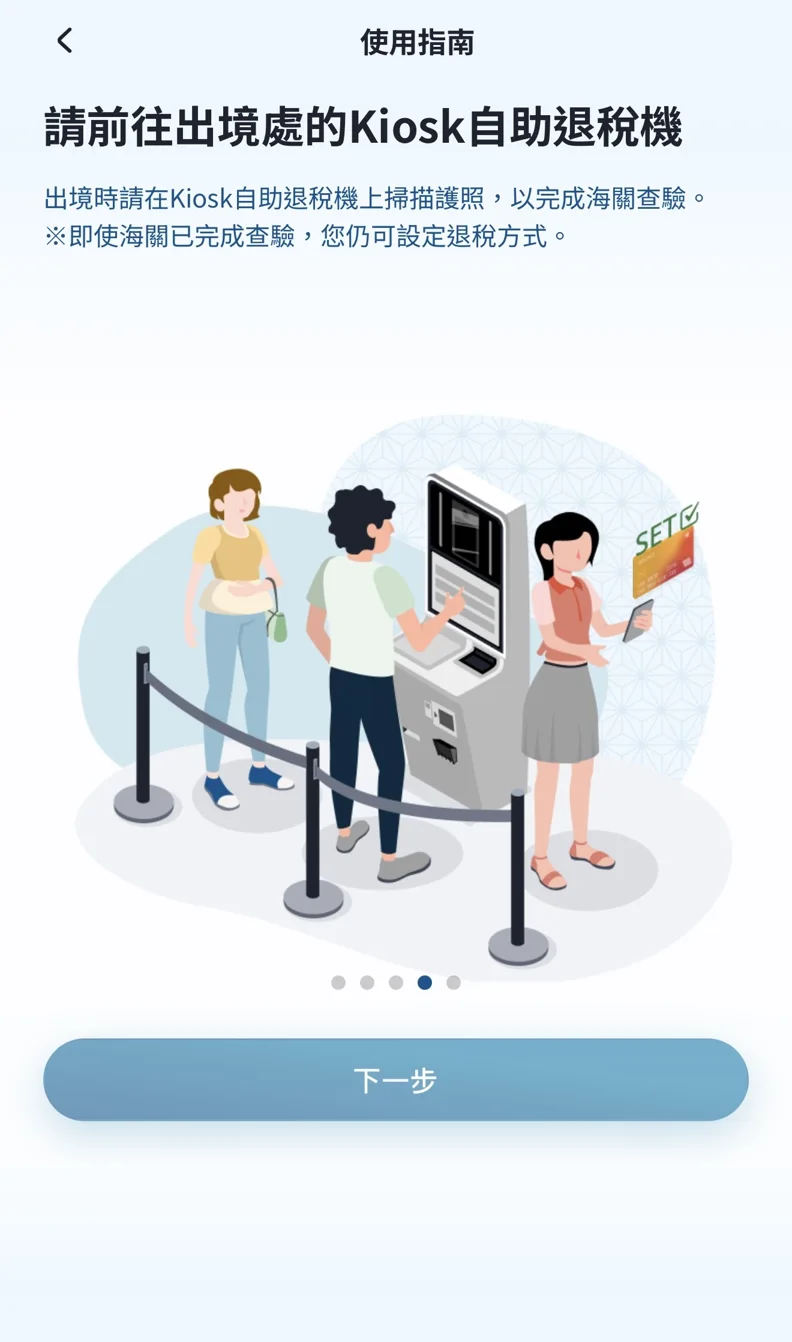
When leaving the country, follow the on-site instructions to scan your passport at the customs self-service inspection machine. If it shows green, it means the inspection has been completed; if it shows red, it means you need to go to the customs officer to inspect the goods.
View J-TaxRefund Outbound Inspection Instructions
Can I Collect a J-TaxRefund Refund in Cash at Kansai Airport?
The official list of Cash Japan partners includes J&J Tax Free, to which J-TaxRefund belongs. If your transaction can use this cash refund service, you must first complete customs inspection, then scan or show your passport at a Cash Japan self-service machine or counter to collect Japanese yen.
When using Cash Japan to collect cash at the airport, a service fee of 10% of the refund amount will be charged, which is calculated separately from the handling fees of stores and tax refund operators.
If you have chosen a non-cash refund such as a credit card and want to change it to cash, please confirm with J-TaxRefund whether you can change it before going to collect the money.
| Terminal | location | Counter time | Self-service machine |
|---|---|---|---|
| Terminal 1 | 4th floor | 07:00–24:00 | 24 hours |
| Terminal 2 | 1st floor | 05:00–23:00 | 24 hours |
The above is the cash collection service information announced by Cash Japan. For customs inspection, please follow the airport signs. Check before departure Official locations and procedures.
J-TaxRefund: Frequently Asked Questions
Q1: Do all Japanese tax-free shops use J-TaxRefund?
No. The tax refund services used by each store may be different, please refer to the store instructions at the time of shopping.
Q2: What If the Verification Email Does Not Arrive?
First confirm the email, spam box and sending domain settings, and then follow the website instructions again.
Q3: Can I Register After Returning Home?
The J-TaxRefund user guide confirms that the refund method can still be set after customs inspection; please confirm the account registration, identity verification and information supplementary period according to the transaction and store regulations.Registration and information-submission deadlines are separate from the 90-day customs-confirmation deadline.
Q4: How long will it take to receive the refund?
It varies depending on the refund method and payment channel used by the store. You can log in to the designated platform to view relevant information.
Three Things to Check When Shopping
- Confirm the refund platform and handling fee used by the store.
- Complete the necessary in-store tax-free purchase logins at checkout.
- Before leaving the country, prepare your passport, shopping records and tax-free goods, and complete customs inspection.
By confirming these three things before operating J-TaxRefund, it will be less likely to miss important steps in the tax refund process.
Official Sources
- J-TaxRefund operation entrance
- Japan Customs: Refund System and 90-Day Period
- Cash Japan: Cash Collection Process, Partners, and Airport Locations
- Cash Japan: Cash Refund FAQs
If you need to arrange shopping and other itineraries, please check TUKISUMI Kansai Travel Service.
Official information: Cash Japan: Current Fees and Terms